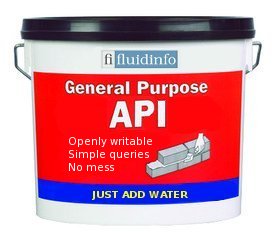
It’s very simple really:
1. Register a domain/user on Fluidinfo
Start here. If you’re registering a domain name then we will require proof of ownership (the instructions explaining how to do this are very simple).
2. Create your namespaces and tags
Be careful, you’re choosing how your data will be structured in Fluidinfo. Some tips we’ve found useful:
- Flat is good.
- Use namespaces to differentiate between the different sorts of things you’ll be tagging (e.g. between books and authors).
- Copy conventions (how do others organise their data?).
- KISS! Keep it simple (stupid!).
3. Import your data into Fluidinfo
To help you, we have a Python based script/library called FLIMP. Nevertheless, there are lots of freely available libraries that you may want to adapt yourself.
4. Announce your new API
Programmers will interact with your data via the general Fluidinfo API, which is simple and well documented. All you need to do is tell the world that your data is available, and what namespaces and tags you’re using to store it in Fluidinfo.
That’s it.
Please feel free to get in touch at any time if you have any questions or would like to explore the possibility of Fluidinfo Inc. helping you to add your data to Fluidinfo.
Step four should be optional.
That is to say, step four should be redundant because that data should be in FI itself.
That is to say, or ask, “isn’t there a standard for applying tag documentation meta-tags to tag objects so that anyone who discovers a tag ‘in the wild’ can easily find out that tag’s semantics?”
Basically, “Oh, that’s an interesting looking tag. I wonder what it’s for?” *looks up the tag object* *asks for tag object’s ‘tag-documentation’ tag and value.*
This is something that I think XML really messed up on. The “X” in XML is a great idea, but it creates a problem of future developers figuring out where to go to learn what your cool schema actually means. FluidInfo can do this in a wickedly cool self-hosting kind of way. So, is there a convention for tag documentation tags?
Comment by Jason Black — February 23, 2011 @ 7:59 pm
Hi Jason,
Every tag (and namespace as it happens) has an associated description. If the meaning of the tag isn’t obvious by its name or context within a namespace then the description is where you put further information.
Also, every tag in Fluidinfo has an associated object which can, of course, be tagged like any other object.
If you take a look at http://api.fluidinfo.com/ you’ll see this is all explained in painful detail. 🙂
Hope this is useful, if not please don’t hesitate to get in touch.
Comment by Nicholas Tollervey — February 23, 2011 @ 10:52 pm